This week, the Epic Games Store free games include two very different games in fun old-timey styles, with one available for PC, Mac, and mobile. The other is a quirky horror title with a style that’s more silly than gross. But I’m sure it still has enough scares for all of you horror fans. Let’s dig in so we can get playing!
Agent A: A puzzle in disguise
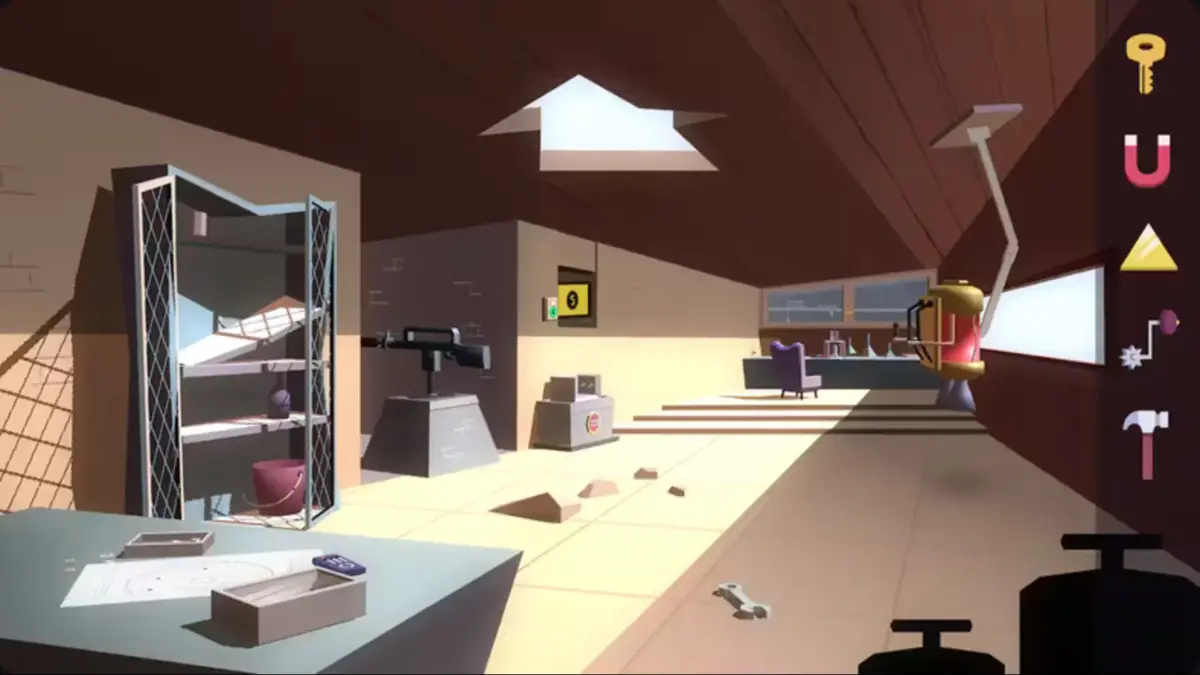
First up, we have Agent A, a colorful puzzle game with art that was inspired by the 1960s. You’re Agent A, a secret agent, infiltrating the secret hideout of the spy, Ruby La Rouge. In the game description, they say,
“Explore a labyrinth of perplexing puzzles in this quirky game of cat and mouse that’ll have you wondering whether you’re the cat… or the mouse!!”
You’ll have to be very observant as you work your way through the hideout, collect items, solve puzzles, and earn achievements. The game has 35 environments with a plethora of puzzles to solve and 30 achievements to collect for all of you completionists (like me).
Agent A is available for free on PC, Mac, and mobile this week.
- Adventure, Puzzle
- Single Player
- Rated: Everyone 10+
- Platform: PC, Mac, Mobile
Bad Cheese

It wouldn’t be October without horror-themed movies, games, and shows. This week, the Epic Games Store has a bizarre-looking horror title called Bad Cheese. From what I gathered from the description, you play as a child mouse in a household that is very strange. You live with your mom, dad, brother and “the rest of the demons.” Your mother is “away.” And you have to,
“Be on your best behavior and KEEP DADDY HAPPY.”
Apparently, your chores include cleaning, making fries, killing spiders, and bringing your father his pills. You might also find some treats and action figures. Because, after all, you’re a kid.
All of this is dressed up with 1920s-style animation like you’d see in a very early black-and-white Disney cartoon. But with more monsters. It’s a first-person horror show that you shouldn’t miss.
- Adventure, Horror
- Single Player
- Rated: Teen
- Platform: PC
How to Claim Freebies From the Epic Games Store
Whether you want to play on your PC, Mac, Android, or iOS device (iOS is available only in the EU), you can find the download information on the Epic Games Store website. If you’re on a computer, you can download the Epic Games Launcher to access and play your games. I know that’s not exactly shocking, and you probably figured that out already.
For the mobile games, you’ll need the QR code. Use the camera on your mobile device to scan the QR code, which will direct you to the download page. You will have to enable downloads from other sources. (Other than the native app store, that is.) This app isn’t available on the Google Play Store or the Apple App Store. After installing the app, launch it, sign in, and then scroll down to find the current free game.
And that’s what we have for you this week! Check back next week, and we’ll highlight the new game offerings from the Epic Games Store. We’re staying on top of the latest gaming news, so you don’t have to worry about any FOMO.
Happy gaming!
Want more great content? Bookmark us and follow us on YouTube.
Follow Michelle Kitz here: https://linktr.ee/michellekitz
 Don't stop here
Every Score. Every Story. One Home.
Breaking sports, entertainment and news from across the Total Apex network, updated all day.
Get the Full Story →
Don't stop here
Every Score. Every Story. One Home.
Breaking sports, entertainment and news from across the Total Apex network, updated all day.
Get the Full Story →