
Microsoft Unveils New Xbox Mode on Windows 11

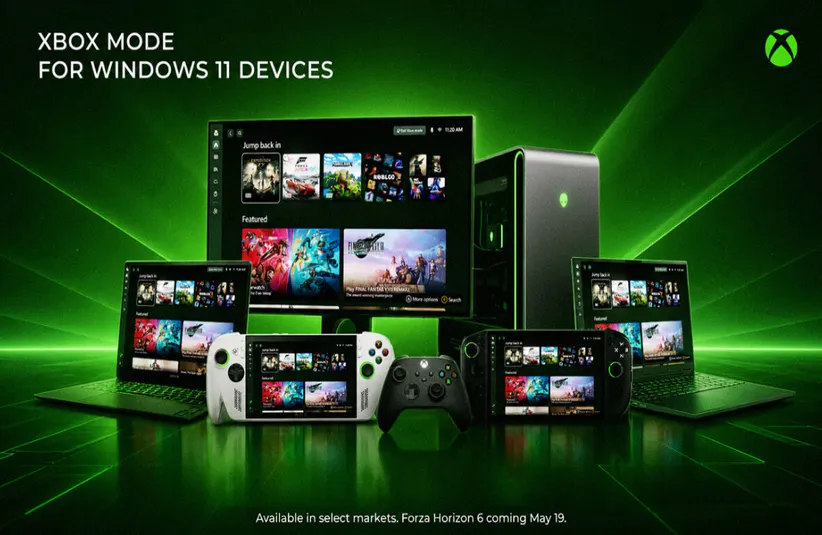
Microsoft has recently unveiled and released the new Xbox Mode for Windows 11 devices, which has been labeled a game-changing update for PC. It brings the iconic Xbox experience to any device you have, whether it’s your PC, laptop, mobile, or tablet, as long as you have the latest Windows 11 update.
Gaming companies, including Microsoft, have seen a significant downturn within the industry, from spiked prices in hardware and consoles to mass layoffs at leading companies like Epic Games, Ubisoft, and even Blizzard Entertainment. However, Microsoft refuses to back down and is making significant changes, with the most recent being the implementation of this game mode to Windows 11 devices. Here’s all you need to know about the new game mode and all the features that come with the new update.
What is Xbox Mode?
If you’re unfamiliar with what Xbox Mode is, it is “a console-inspired, dedicated gaming experience that gives players a controller-optimized way to navigate and play on Windows.” When you install and use it, Windows 11 will start your gaming home app to use as a launcher for your games and apps, in full screen.
One of the great aspects of this game mode is the fact that players can jump between Xbox Mode and the standard Windows 11 desktop at any time, and can access Xbox Game Pass titles and their game libraries. It creates a seamless experience for players without the console. Microsoft released Xbox Mode on April 30; however, it will be released at different times across all regions, which has yet to be revealed.
Bringing Immersion to All Devices
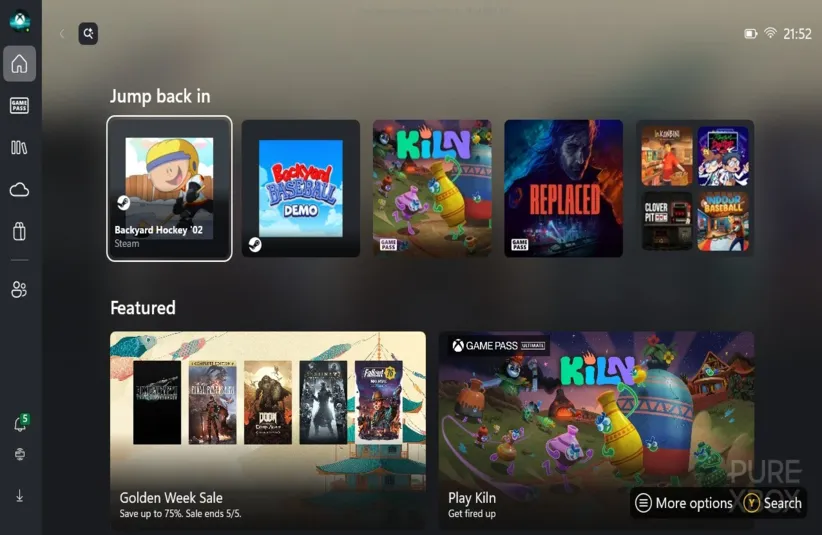
Xbox Mode is designed to let players experience their usual console experience on other devices, as long as your device has Windows 11. When you launch the app, you’ll be able to use your Xbox controller to browse and launch games from your game library, you’ll be able to switch between Xbox Mode and your Windows 11 desktop with ease, and you’ll have access to your Xbox game library, including the game catalogue from Xbox Game Pass and installed games from leading PC storefronts.
Once you have this game mode activated on your device, you’ll be able to access it from the Game Bar Settings menu or by pressing the Windows Key + F11. If you’re using a handheld device, including the ROG Xbox Ally and Xbox Ally X, you can boot directly into this game mode on startup once it is available.
The announcement of Xbox Mode on Windows 11 devices comes amid significant changes within Microsoft and Xbox. Recently, Microsoft announced a decrease in price for the Xbox Game Pass subscription, going from $23.99 to $13.99 for Xbox Game Pass Ultimate and PC Game Pass. However, with this change, future Call of Duty games will not be available as Day One Game Pass titles, and instead will be available a year after the launch of new Call of Duty games. Though Microsoft has seen a slump in earnings in Q3 of 2026, Xbox Mode should provide some relief for the company and users who want that smoother gaming experience.
How to Set Up
Handheld Devices
- Select Start > Settings > Gaming > Xbox Mode.
- Under the Choose home app, select a supported gaming home app installed on your device.
- Adds entry points in Game Bar and Task View.
- Selecting None turns off Xbox Mode.
- (Optional) Turn on Enter Xbox Mode on startup to start it automatically after you sign in.
- When this setting is on, Windows limits background processes to improve performance while gaming.
PC (Laptop and Desktop)
- Select Start > Settings > Gaming > Xbox Mode.
- Turn on Enable Xbox Mode.
- Entry points will be available in Game Bar and the Xbox app.
- (Optional) Turn on Show Xbox Mode in Task View to add an entry point in Task View.
