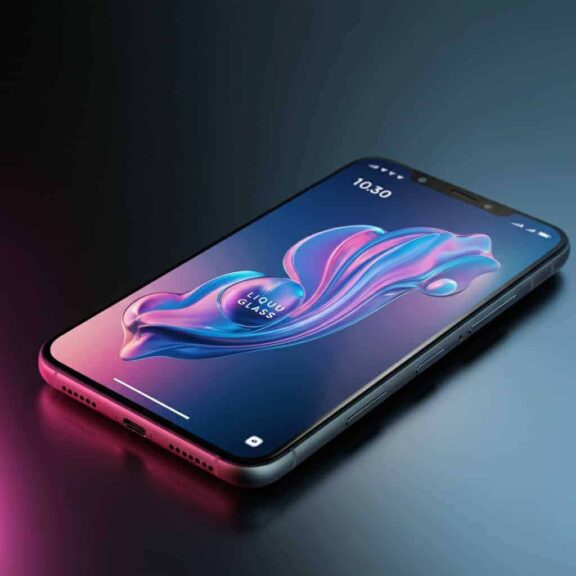
Alright, Apple enthusiasts (or beta-curious bystanders), Apple iOS 26 beta is here. And by “here,” I mean that if you’re one of those people who love living dangerously and enjoy downloading software that could tank your beloved iPhone just for fun, Apple’s got something special for you. Oh, and did I mention “Liquid Glass”? Yes, they’ve given their UI redesign a name as dramatic as a sci-fi villain—we’ll get to that later.
Now, what’s the deal with the beta? Should you download it? Or is it another one of those “looks good in the keynote but wreaks havoc on your Photos app” situations? Buckle in, friends. We’re going full GameRant mode with a sprinkle of sarcasm and a pinch of actual advice.
Why the Hype? Is iOS 26 Beta Worth It?
If you’ve somehow been under a digital rock, Apple dropped the iOS 26 beta during WWDC 2025. This isn’t one of those minor updates where they add four emojis and call it a day. Nope. Major overhaul alert. Think of the new “Liquid Glass” design as Apple’s attempt to say, “Android who?” It’s sleek, it’s shiny, and yes, it makes your old phone feel prehistoric.
But here’s the thing about betas—even public ones. Sure, you get early access to cool features, but your phone might act like it’s haunted by software ghosts. Weird app crashes, battery life that vanishes faster than fries at a party, and random quirks that’ll make you question every life choice you’ve made. Betas, folks.
New Features Making Waves in iOS 26 Beta
Still not convinced? Can’t blame you. But here’s why some daredevils are lining up to install it:
1. Liquid Glass Interface
Okay, real talk. “Liquid Glass” sounds like something Tony Stark would install on his suit. It’s Apple’s shiny new UI overhaul with fluid transitions and flashy animations. Honestly, it’s gorgeous—but also a little intimidating because smoothness seems subjective when paired with beta glitches.
2. Advanced Widgets
Widgets are back, y’all, and reviewers are throwing around words like “interactive.” You can play podcasts or scroll through notes directly from the widget. It’s like Apple realized they could one-up Android’s lead in this space. About time.
3. AI-Enhanced Predictive Text
Remember when autocorrect thought “ducking” was a substitute for your more “colorful” vocabulary? Say goodbye to that nonsense. Apple’s AI understands your texting vibe now (finally).
4. Privacy Features and More Control
You’ve got new privacy tools that sound impressive (and vaguely intimidating to nosy advertisers): better data protection and app usage transparency. Whether or not you trust companies with privacy buzzwords, well, that’s another conversation.
Here’s What You Need to Know Before Diving Into the Beta
Spoiler alert, amigos. If you’re reading this and thinking, “Beta bet, what’s the worst that can happen?“… grab some popcorn.
1. First Rule of Beta Club: Don’t Test on Your Primary Device
I cannot emphasize this enough. Remember those times people said, “It works fine”? Those are the same people who forgot what Face ID feels like after their betas nuked it.
Run the beta on a secondary device if you can. If that’s not an option, at least back up your main iPhone. Seriously, plug it into iCloud like your digital life depends on it… because it very well might.
2. Compatible iPhones
Got an older iPhone? Forget about it. If you’re rocking a shiny iPhone 11 or newer, congratulations, you’re in the cool club. Anything older might as well be a vintage paperweight for this beta.
3. Glitches? Oh, They’ll Happen
Battery suddenly draining by 11 a.m.? Keyboard events acting like a 2005 MySpace glitch? Yeah, those bugs are almost part of the charm, right? Expect performance issues to be a ~fun~ part of your testing adventure.
Wait, What If You’ve Decided to Download It?
Alright, brave soul. Here’s your survival guide to beta testing:
- Go to Settings > General > Software Update.
- Tap “Beta Updates” and choose “iOS 26 Public Beta.”
- Wait patiently (or impatiently, that’s your call) as it downloads. Install it and prepare for chaos.
- Experience moments of joy, awe, and maybe even regret.
Pro tip? If something breaks, don’t cry. Apple’s got a Feedback Assistant in the beta where you can send fiery complaints or brilliant praise. Honestly, don’t be shy. They kind of need it.
Is It All It’s Cracked Up to Be?
Here’s the thing. Apple iOS 26 beta has potential. Big potential. But whether it’s polished enough for your daily use depends on your love for shiny new toys vs. your patience for glitchy chaos. If you’re someone who lives for bleeding-edge tech, fine, go for it. If not? Wait for the official release like the rest of us mortals.
Either way, just imagine the fun you’ll have debating with your beta-loving and beta-hating friends about how “great but frustrating” beta life is
 Don't stop here
Every Score. Every Story. One Home.
Breaking sports, entertainment and news from across the Total Apex network, updated all day.
Get the Full Story →
Don't stop here
Every Score. Every Story. One Home.
Breaking sports, entertainment and news from across the Total Apex network, updated all day.
Get the Full Story →